
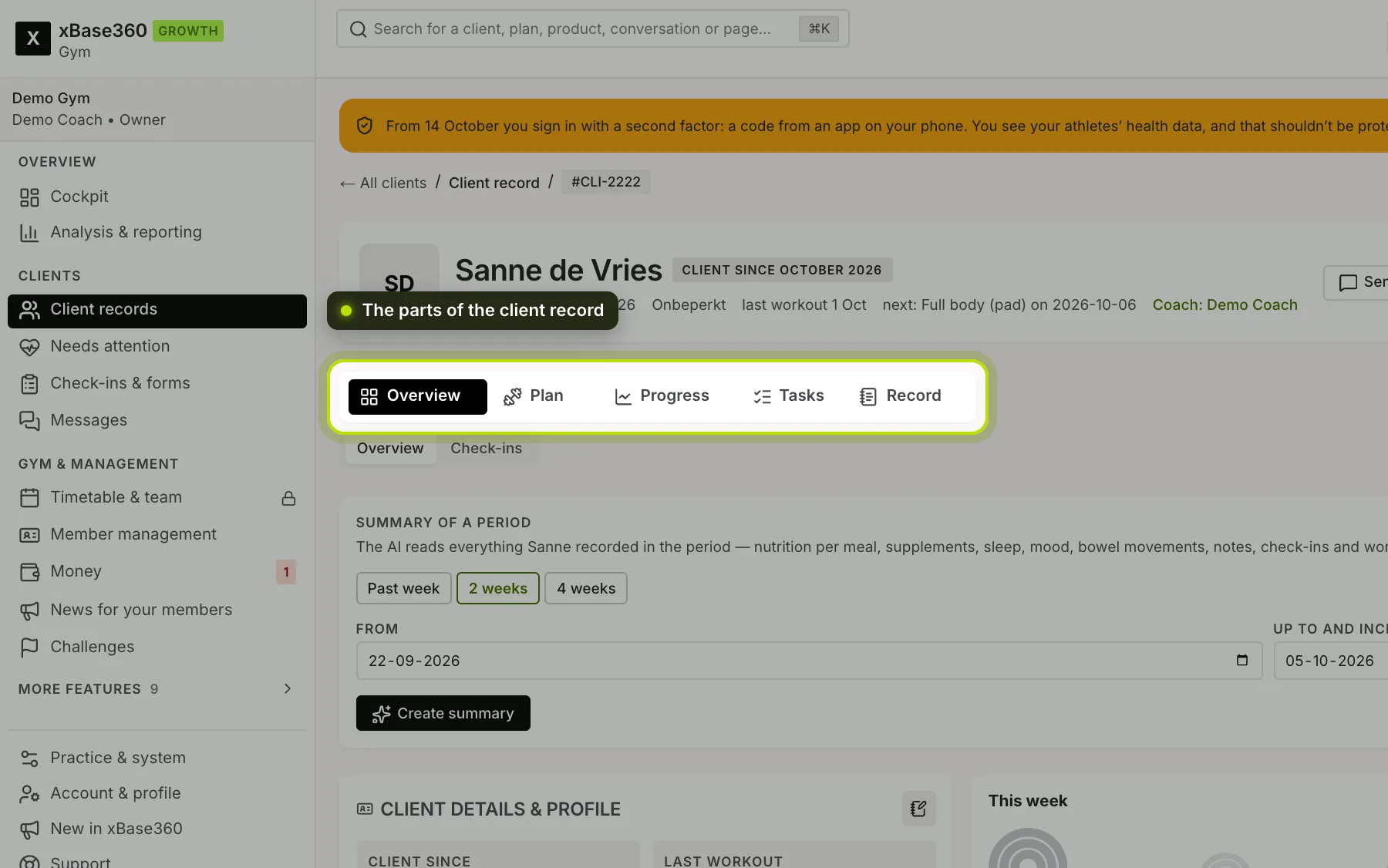
Click a name in your client list and you open their record. At the top is their name, with buttons to send a message, assign a programme, record a measurement or create a report. Below that you choose the section; a section with several parts has a second, small row.
 (opens at full size in a new tab)
Overview. Since when they’ve been a client, their last workout and check-in, their programme, their subscription, their measurements with their trend and a timeline of what happened. This is also where you create a summary of a period. Under Check-ins are their completed check-ins and forms.
Plan. What you set up for them. Under Training is what’s scheduled, with their recent workouts and their cardio and machines; this is also where you schedule workouts. Under Nutrition their meal plan and nutrition goal. Under Path their programme and their path.
Progress. Per week: the Fitscore, how many workouts they completed compared with what was planned, what they ate and how much protein, and how their points grew. Under Photos their progress photos.
Tasks. Tasks for yourself and tasks your client sees on their home screen. See Notes, tasks and assignments.
Record. Your meeting notes and your internal notes, shared files (photos, documents and voice memos from the chat appear here automatically), and under Contact and account their email address (if you’re allowed to see it), how far they are with their invitation, when they first and last used the app, and a button for a reset email. See Contact details and account help. Under Business their subscription, visit balance, invoices and payments, and a payment link. See Signing up a member to a subscription.
Create report. The button at the top creates a PDF about the past period. See The coach report.
What you see depends on your permissions. If you don’t have access to a section, it isn’t shown.