
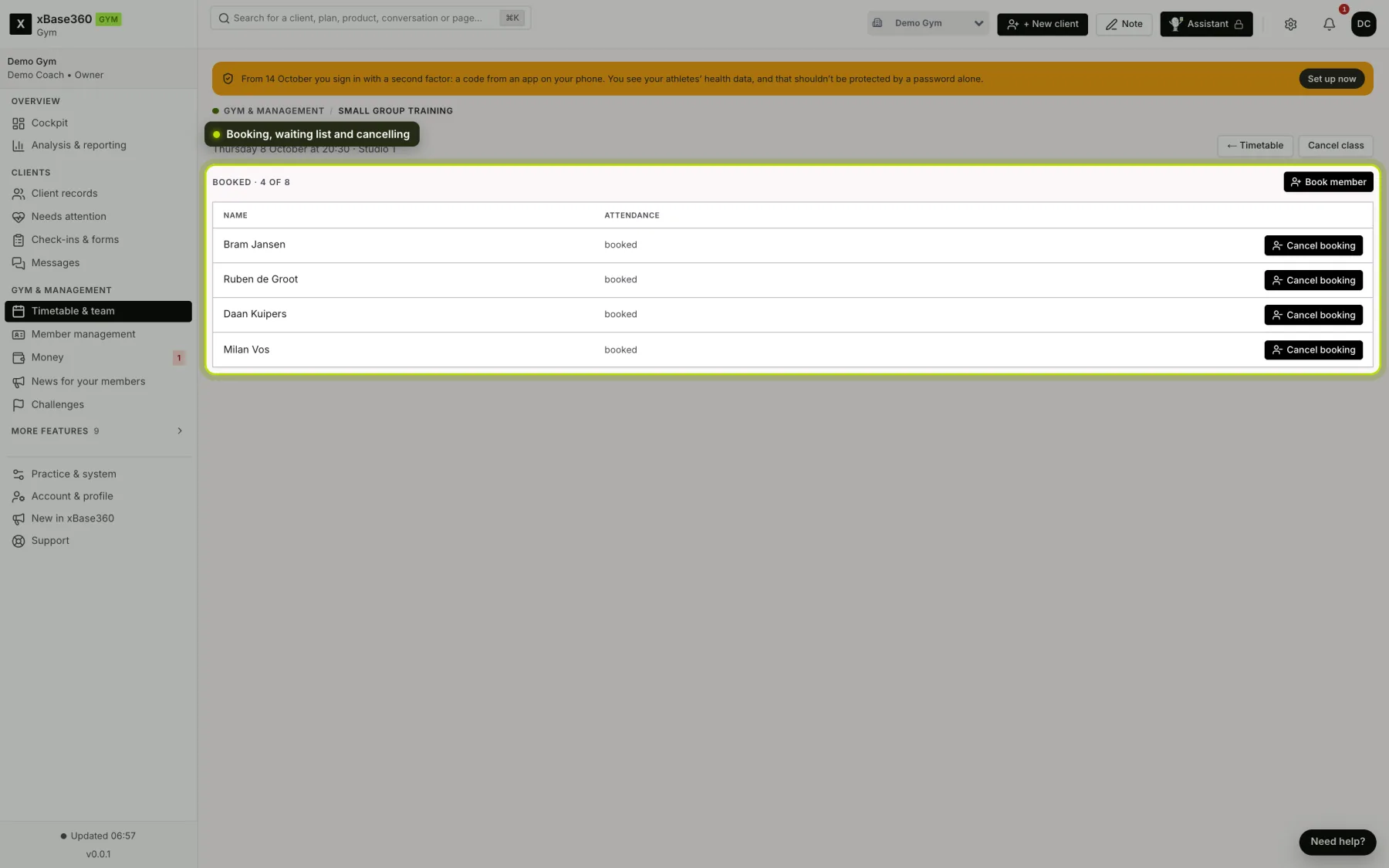
Click a class in the timetable. For a class that’s still to come, a window opens; choose Attendance and details there. You’ll see who’s coming.
 (opens at full size in a new tab)
Booked and waiting list. At the top you see how many places are taken, such as Booked · 4 of 8. Once the class is full, anyone who books after that goes on the waiting list. If someone cancels, the person at the top of the waiting list moves into a place automatically. You don’t have to do anything.
Booking a member in. Is a member on the phone or at the front desk? Click Book member, search by name (at least two letters) and click book. If the class is full, the button is called Add member to waiting list and the member goes to the bottom of the waiting list. The member gets a notification in the app.
What does and doesn’t apply. You can also book someone in if the class can’t be booked online, if online booking has already closed, or if the member has already reached their daily maximum. Credit is still deducted as usual, just as when they book themselves. If the member doesn’t have enough credit, the screen says so.
Cancelling a booking. Each booking has Cancel booking next to it, and on the waiting list Off waiting list. After you confirm, the member is removed and gets a notification. If they cancelled in time, or your business doesn’t charge for late cancellations, their credit is returned. The person at the top of the waiting list moves up. Once attendance has been ticked off, the booking can no longer be cancelled.
Who can do this. Anyone who’s allowed to manage the timetable. Without that permission, the system refuses.
Taking attendance. Afterwards, tick for each person whether they were there (Present) or Didn’t show. That feeds your attendance figures in Analysis & reporting; without it, the system doesn’t know who was there.
Cancelling late or not turning up. Whether that costs credit is set in the timetable rules. If Cancelling too late costs the credit is on, the visit is used up once the cancellation window has passed.
Cancelling a class. Cancel class removes the class from the timetable. Give a reason, because your members will read it.
Empty classes. If you set a class type or a class to be cancelled when nobody has booked, that happens automatically the number of hours before the start that you choose.
Reminders. If a reminder is turned on in the timetable rules, everyone who’s booked gets a notification on their phone that many hours beforehand.