
If a client calls for an appointment, or you agree the next one during a consultation, you schedule it yourself, from their record.
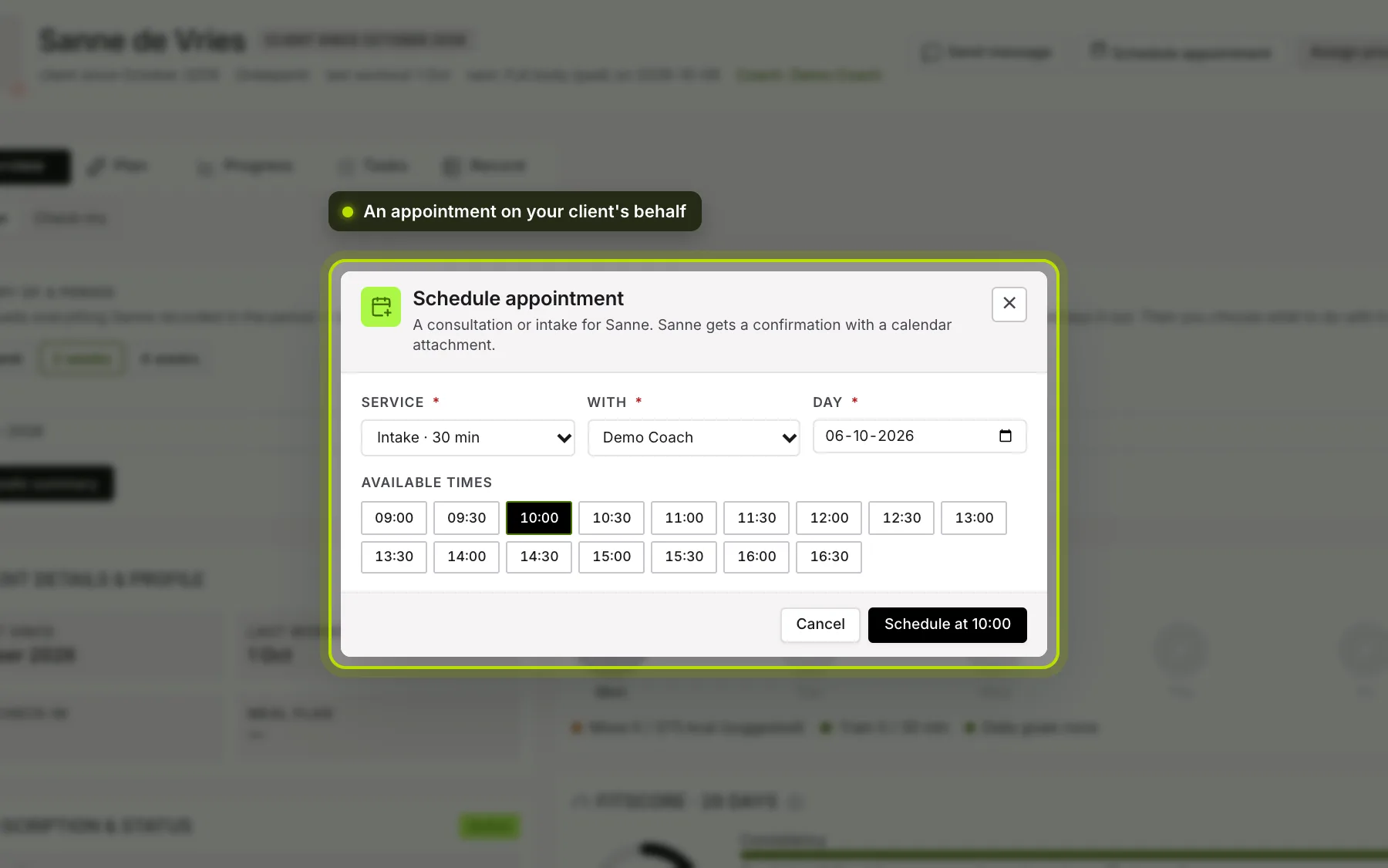
Where. At the top of your client’s record is Schedule appointment. The same button is under Plan → Training, at Appointments. There you also see which appointments are already booked.
 (opens at full size in a new tab)
How to schedule.
- Choose the Service, such as an intake or a PT session.
- Choose With whom the appointment is.
- Choose the Day.
- Under Free times are the times that are really free. Click one and click Schedule at that time.
What your client gets. A confirmation by email with a calendar invitation attached, and the Meet link or the document if the service has one. If a questionnaire belongs to it, it’s ready for them in the app. They get a notification in the app. If the service costs credit, it’s deducted. If the email didn’t go out, the screen says so; then let your client know yourself.
Cancelling. Under Appointments, each appointment has Cancel.
Who can do this. Anyone who can manage the timetable can schedule in everyone’s calendar. Without that permission, you only schedule in your own calendar.
No services or no times? Then there are no services yet, or nobody has opened up availability. You set that up under Timetable & team → Manage availability. See Availability and appointments.