
Under Needs attention your members are sorted into four groups, so you can message someone before they cancel.
- Dormant: away for so long that cancelling is the next step.
- At risk: away, or never started. This is where a message is worth most.
- Watch: still coming, but clearly less than before.
- Active: comes regularly.
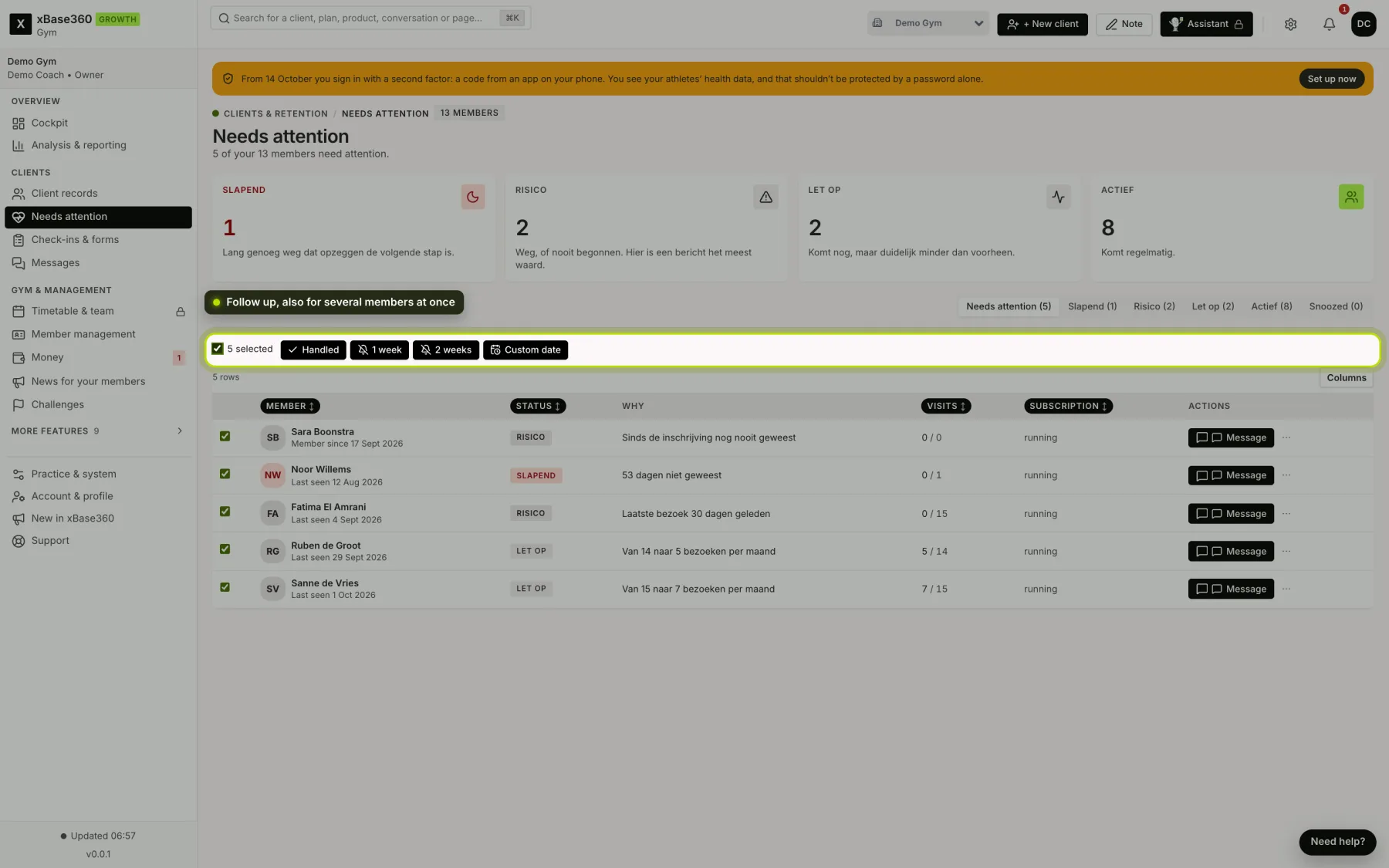
At the top are the tabs Needs attention, the four groups, and Snoozed. The Why column gives the reason in plain language, such as From 15 to 4 visits a month.
What counts as a visit. A logged workout, a class they attended, a scan at the door, a run, an activity and a session on a machine. An activity from a watch only counts if the member shares their watch data with you. Several things on one day count as one visit; steps don’t count. The Visits column compares the last thirty days with the thirty days before.
Who isn’t on it. Your team, and paused and ended members. They have a reason not to come.
No model. There’s no prediction behind it. You can explain every grouping over the phone: they came eight times last month and twice this month.
 (opens at full size in a new tab)
Following up. Send someone a message with Message. Then take them off the list using the three dots after their name:
- Handled: you’ve been in touch.
- Snooze 1 week or Snooze 2 weeks: not for now.
- Snooze until…: choose the day they come back yourself, with a note for your team, such as on holiday until mid-November.
Several members at once. Tick members, or choose Select all. A bar appears with Handled, 1 week, 2 weeks and Custom date.
When someone comes back. A snoozed member is back on the list on the chosen day. A handled member comes back as soon as they slip further, for example from Watch to At risk, and otherwise after thirty days at the latest.
Snoozed. That tab shows who is snoozed or handled, until when, and the note. Restore puts someone straight back on the list.
On the cockpit. The Needs attention figure only counts people you haven’t followed up yet. Urgency & retention and Follow up on the cockpit have the same three dots.
Everyone active? Then there’s nothing to do. That’s rare enough to take a moment to enjoy.