
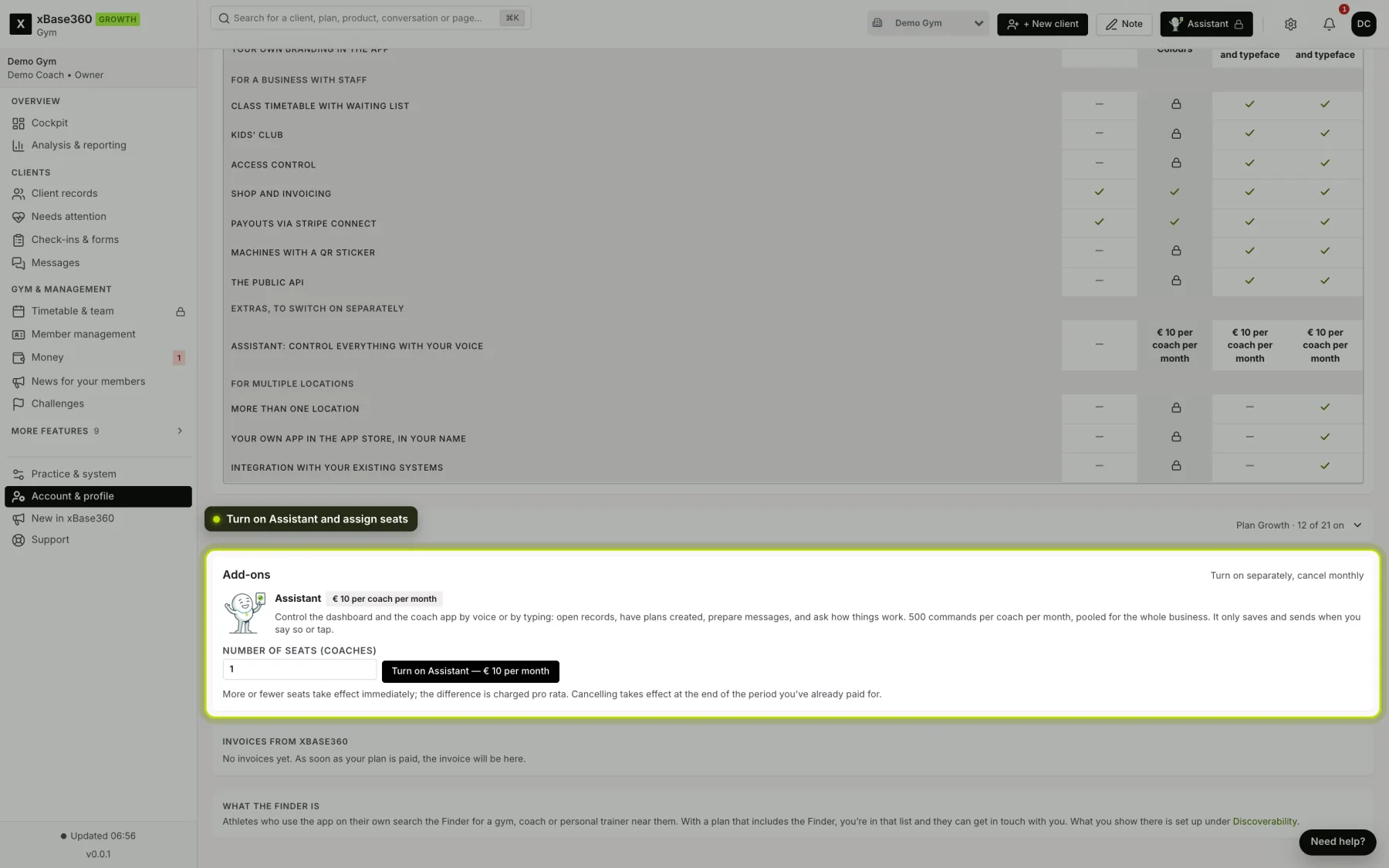
What it costs. €10 per coach per month, from the Growth plan. Each seat adds 500 commands per month, together in one pool for the business: three seats is €30 and 1,500 commands. You can cancel monthly.
Turning it on. Only the owner does this, under Account & profile → Subscription → Add-ons. Choose the number of seats and click Turn on Assistant. If there’s already a payment method on your plan, it’s on straight away; otherwise you pay at Stripe first.
 (opens at full size in a new tab)
Allocating seats. Whoever buys it gets the first seat themselves. Under Who has a seat you give colleagues a seat, or take it away. A coach without a seat does see the button, with a prompt to ask the owner for a seat.
More or fewer seats. A change takes effect straight away; Stripe settles the difference pro rata with your next instalment. With fewer seats, whoever got a seat last loses it first.
What counts as a command. Every instruction you give. The steps it then takes itself (opening a screen, filling in a window), your yes or no and “undo” don’t count. The panel shows how many have been used this month.
Credit used up. Then explanation questions (“how do I set up …?”) still work; instructions work again from the first of the month, or with an extra seat.
Cancelling. With Cancel at end of period, it stops at the end of the period you paid for. Until then everything works, and Keep it running withdraws the cancellation.
Try it first? Ask us via Support; we can turn it on for your team for two weeks.