
Health insurers ask GLI providers to keep track of their participants’ outcomes. You do that under GLI, with the measurement points and the Outcome register.
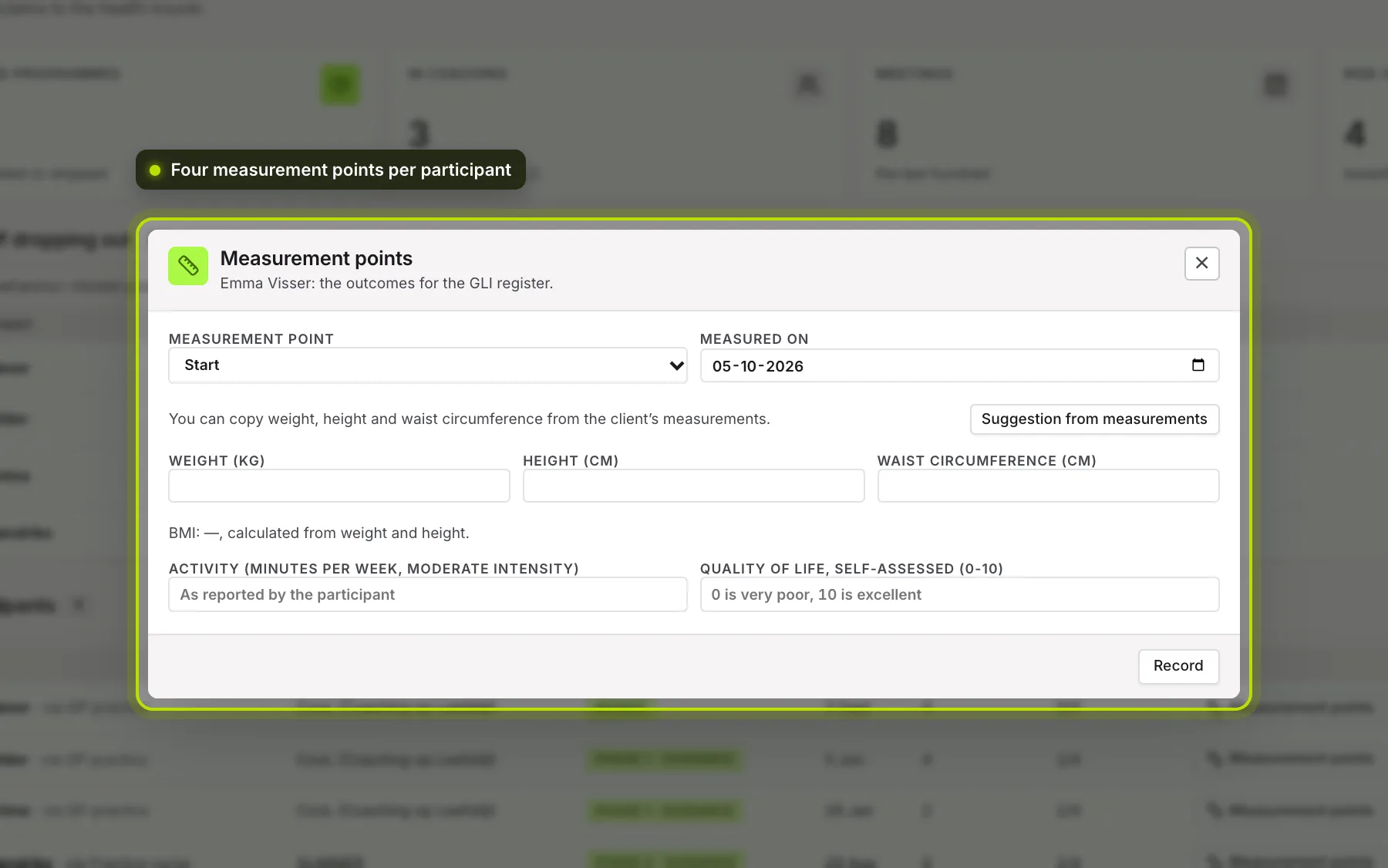
The four measurement points. Start, End of phase 1, End of phase 2 and End of maintenance. Click Measurement points for a participant, choose the point and the date, and fill in what you measured:
- weight, height and waist circumference (the screen calculates the BMI itself);
- activity: minutes per week of moderate intensity, as reported by the participant;
- quality of life: their own rating from 0 to 10.
One measure is enough. Record saves it; a point that’s already there, you change with Update.
 (opens at full size in a new tab)
Suggestion from measurements. If your client tracks their weight or waist circumference, Suggestion from measurements looks for a measurement around the chosen date, up to thirty days before or after. The height comes from an earlier measurement point or the profile. Use puts a value into the field. Nothing is copied over automatically.
 (opens at full size in a new tab)
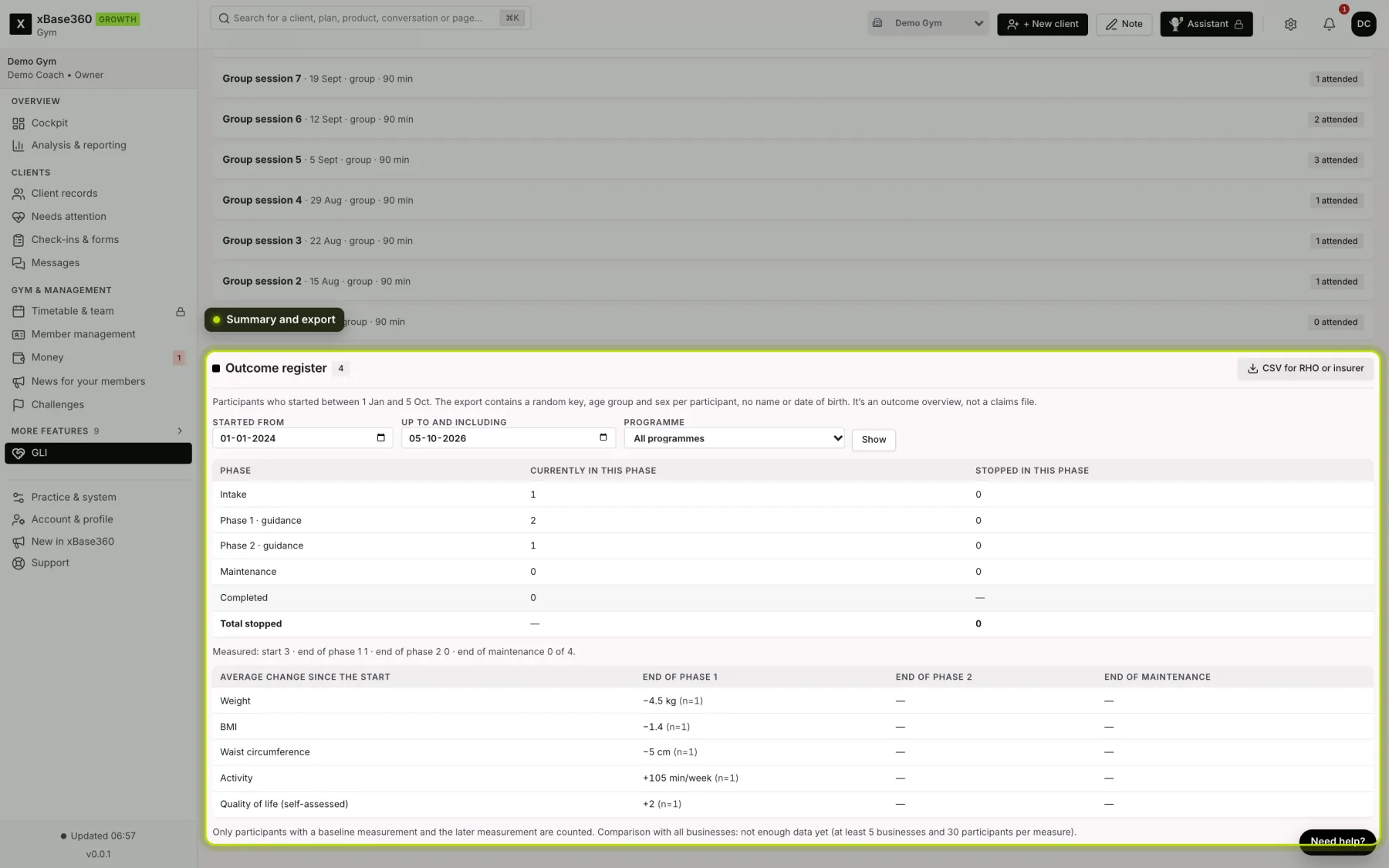
The summary. Choose the period in which participants started, and optionally one programme, and click Show. For each phase you see how many participants are in it now and how many stopped in that phase, how many measurement points there are, and the average change per measure since the start. Only participants with a starting measurement and the later measurement count.
Comparing with other businesses. The average of all businesses together is shown as soon as at least 5 businesses and 30 participants per measure count. Before that you see not enough data yet. You never see data from another business, only the average.
The export. With CSV for RHO or insurer you download one line per participant per measurement point. There’s no name and no date of birth in it: each participant has a random key (such as G-4F1A…), an age group and their sex, and dates are given as a month. The key is a pseudonym, not anonymity: your business can trace it back to the participant, for example if the RHO (the regional GP organisation) has a question.
What it isn’t. Not a claims file and not a medical judgement. It’s an overview of outcomes.
See also Tracking the GLI.